Our week
FREE ON PHONE · PREMIUM ON TVFamily events and school plans, with people, times and details in one weekly view.
FEATURES
Manage the details on your phone. Keep the household’s day in view on a shared TV or tablet with Premium.
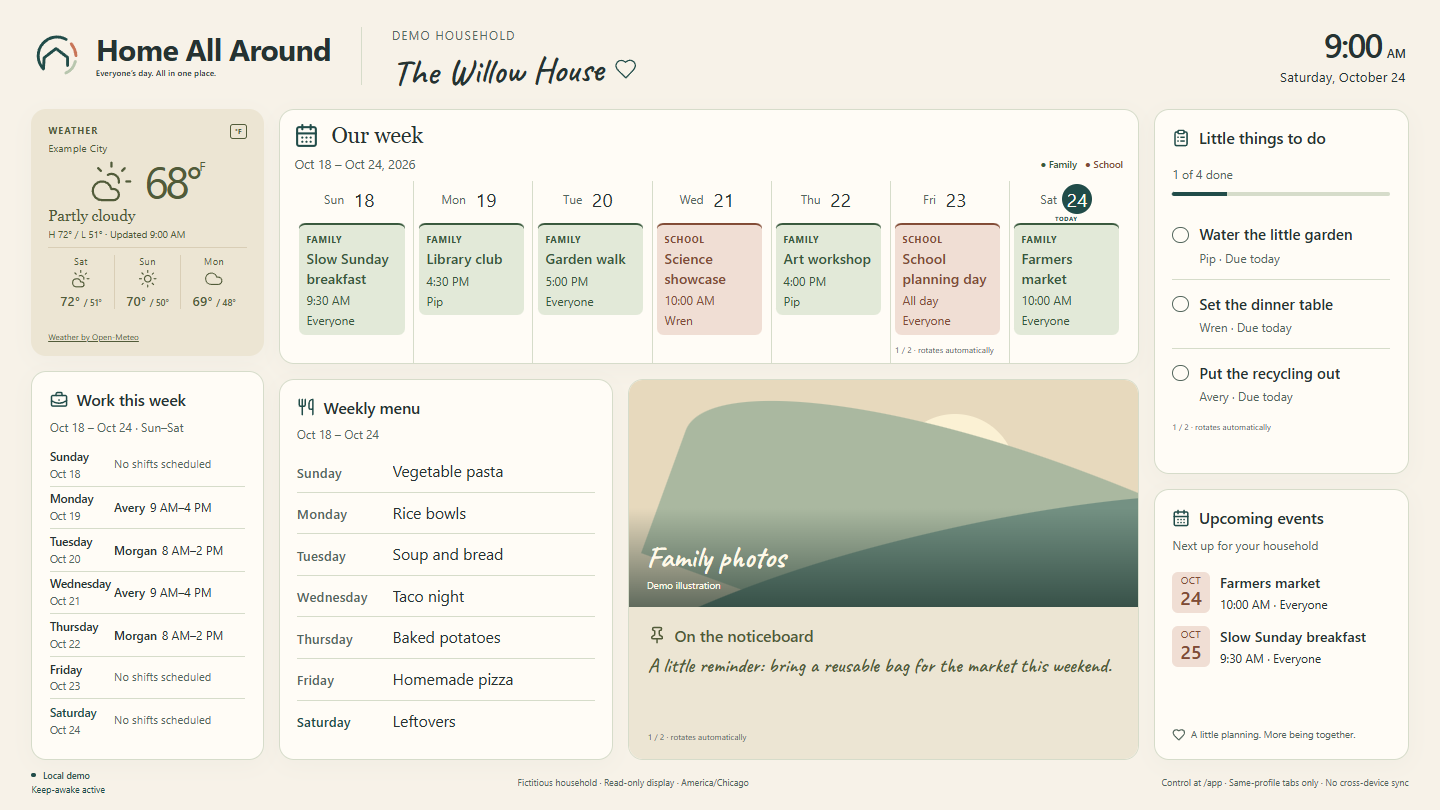
Family events and school plans, with people, times and details in one weekly view.
Connect an existing calendar with a supported ICS subscription link and see its events in Our week. Keep it private or share it with your household. Imported events are read-only and usually refresh about once an hour.
Calendar setup helpUpload a photo or PDF of a school, work or activity schedule. Smart Import uses AI to suggest calendar events. Review and correct the details, then choose which events to add to Our week. Premium and active trials include 10 new AI analyses per household each calendar month. Analyzing again uses another allowance; reopening and editing a saved review does not.
Smart Import limits and helpCurrent conditions and a three-day TV forecast for the location your admin chooses.
A separate Sunday–Saturday schedule for household work shifts.
Plan dinners for each day, save recipes and find them as you type a meal. Weekly menus and recipes are included in Free. With Premium, send selected recipe ingredients to your grocery list.
Assign everyday tasks and mark them complete from your phone.
Leave signed reminders and notes that rotate on the shared board.
Add an event, to-do, note or meal without leaving the app page you’re on. Premium also includes quick access to groceries and polls. Find Free recipes in Weekly menu.
Admins set optional event, meal and to-do reminders. Allow notifications on each phone that should receive them. On iPhone, use the installed Home Screen app.
Keep birthdays, holidays and milestones in view with Premium or an active trial. See up to four upcoming celebrations on your phone. An admin can add a countdown to a paired TV and choose the color, message and family photos for the celebration day.
Family Celebrations helpAsk a household question, vote and see the results. Show names beside answers or choose anonymous responses. Optionally alert household phones that allow reminders.
Keep PDFs, images and website links with an event or in your household document library. Admins add and remove; members view and download. Admins can prepare selected PDF or image pages for the Attachments widget on TV and tablet, then adjust their frame, zoom and position. Open original files and website links on your phone. PDF, JPEG or PNG: 5 MB per file, three attachments per event and 50 MB of file storage per household. Website links support HTTP and HTTPS.
Find your shared grocery list in Family Space, organized by store. Add ingredients from recipes and check items on your phone. An admin can also show the read-only list on TV and tablet. Done shopping clears the list after confirmation.
Your uploaded photos fill the TV screen when the dashboard is idle, or an admin can start photo mode right away from Family photos. On supported TVs, use your remote’s arrow or Select button to return to your plans. Up to 50 photos per household.
Photo mode and TV helpSee your household calendar, meals, to-dos and more together on a read-only TV board. Open TV Mode in your TV’s browser and pair it from your phone. Choose what appears on the board in Family Space.
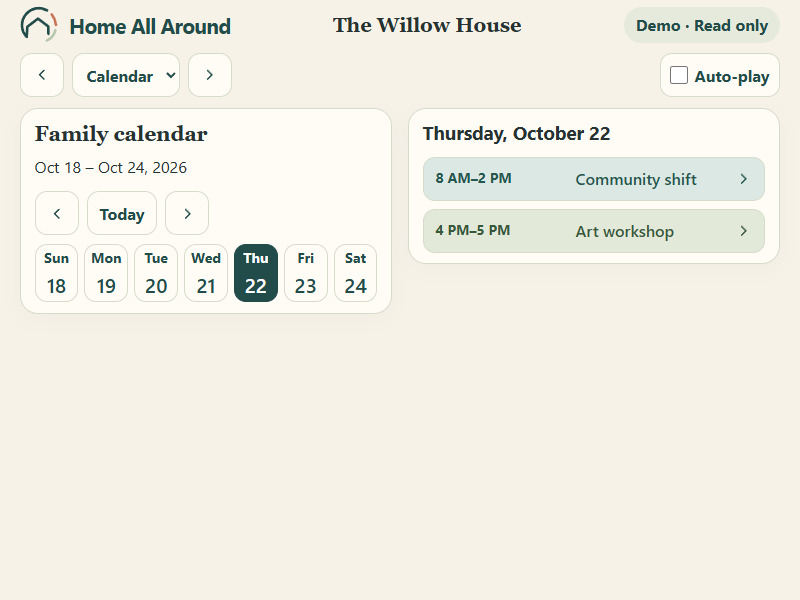
Turn a tablet you already own into a shared household screen with Premium. Keep calendar titles and times, to-dos, meals, notices and family photos in view, plus the widgets your admin selects in Family Space. Choose a section or let Auto-play change sections for you. Pair with a QR code or manual code from your phone’s Screen access settings. Your tablet stays read-only, with portrait and landscape layouts.
Members can edit shared plans and upload photos. Your admin manages household access, TV and tablet connections and weather settings. Members can remove their own photo uploads; admins can remove any household photo. Admins also manage documents; household members can view and download them. Admins choose which summaries appear on the dashboard and can explicitly share document pages through the Attachments widget. Original documents and poll voting stay in the app. TVs and tablets display your board without editing controls.
See how your phone, TV and tablet keep your household connected.